corvix

GitHub notifications dashboards — single-user, self-hosted. Run corvix with your own GitHub token on a private PostgreSQL instance. There is no multi-user mode.
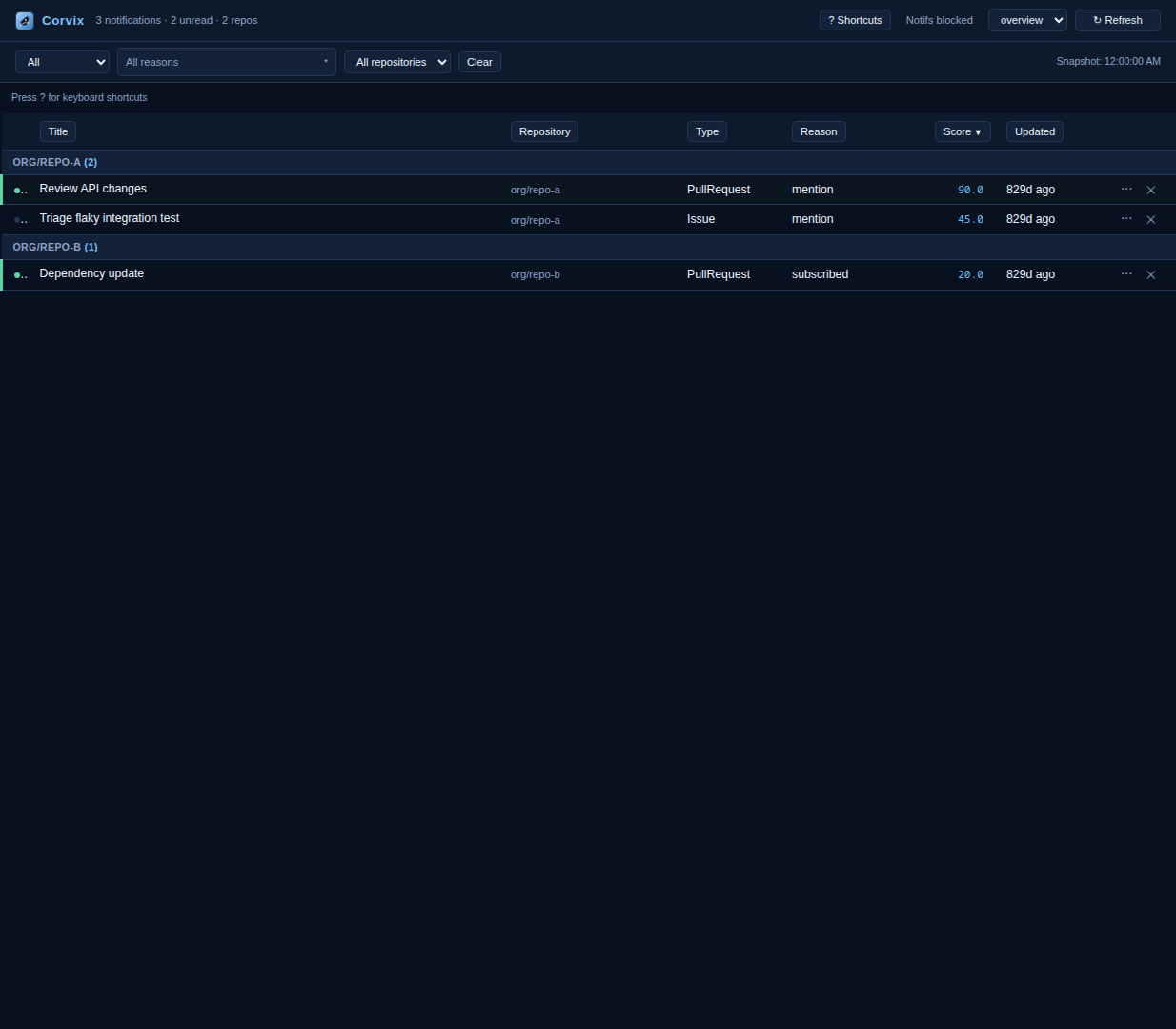
Regenerate this screenshot with make frontend-build && make ui-screenshot.
Run with Docker Compose
Corvix local runtime and end-to-end testing are Docker Compose only.
Create local config and secret files:
cp config/corvix.example.yaml config/corvix.yaml
cp secrets/github_token.txt.example secrets/github_token.txt
cp secrets/postgres_password.txt.example secrets/postgres_password.txt
cp secrets/database_url.txt.example secrets/database_url.txt
Edit secret files:
secrets/github_token.txt: your GitHub PAT.secrets/postgres_password.txt: strong DB password.secrets/database_url.txt: full SQLAlchemy/PostgreSQL URL (must match DB credentials).
Start services:
docker compose up --build
Open
http://localhost:8000.
Notes:
Frontend assets are built as part of Docker image build.
Rebuild images after frontend source changes.
PostgreSQL is required: the
pollerwrites notifications to the database and thewebservice reads from it (no shared file). A one-shotmigrateservice applies Alembic migrations before they start.Set
CORVIX_DRY_RUN=truein.envto run the poller in dry-run mode (no GitHub actions).dbusesPOSTGRES_PASSWORD_FILE;webandpolleruseGITHUB_TOKEN_FILEandDATABASE_URL_FILE.
Security
⚠️ By default, the Corvix HTTP API is unauthenticated. Anyone who can reach port 8000 can read your GitHub notification data and trigger dismiss/mark-read actions against your GitHub inbox.
To enable token-based authentication, set CORVIX_SECRET_TOKEN in your .env file
or environment before starting the web container:
# Generate a strong secret: openssl rand -hex 32
CORVIX_SECRET_TOKEN=your-strong-random-secret
The JSON API is served under /api/v1/*; the only unversioned route is
/api/health, a public alias kept for container health checks. (The legacy
unversioned /api/* aliases were removed — the UI uses /api/v1/* exclusively.)
When set:
All
/api/*endpoints (except/api/health) and/metricsrequire anAuthorization: Bearer <token>orX-Corvix-Token: <token>header.The web UI redirects to
/loginwhere you enter the same token; a session cookie is issued on success and clears on/logout./api/healthremains public so Docker health checks continue to work, but its response is trimmed to{"status": "ok"|"unhealthy"}— no error detail.Static assets (
/assets/*) are always public.
You can also store the token in a Docker secrets file and point to it with
CORVIX_SECRET_TOKEN_FILE:
# docker-compose.yml (web service)
environment:
  CORVIX_SECRET_TOKEN_FILE: /run/secrets/corvix_token
Deployment checklist:
The default
docker-compose.ymlpublishes thewebservice on127.0.0.1:8000(loopback only), matching Corvix’s single-user, not-web-accessible deployment model. To expose it beyond localhost, widen theportsmapping to"0.0.0.0:8000:8000"deliberately and setCORVIX_SECRET_TOKENfirst.Set
CORVIX_SECRET_TOKENor restrict port 8000 to localhost and put a TLS-terminating reverse proxy (nginx, Caddy, Traefik) with its own access control in front.The app does not enforce TLS itself; use a reverse proxy for HTTPS in production.
Containers run as a non-root user and drop all Linux capabilities (
cap_drop: [ALL],no-new-privileges:true) for theweb,poller, andmigrateservices.
Contributor Tooling
This project uses uv for development workflows:
uv sync
uv run pytest
uv run ruff check .
make frontend-build
make ui-screenshot
npm --prefix frontend run test -- --run
npm --prefix frontend run test:coverage
make lighthouse
Frontend Build Contract
Frontend source-of-truth lives in
frontend/(frontend/src/**).Canonical build command:
make frontend-build(runsnpm ci && npm run buildinfrontend/).Build output is generated into
src/corvix/web/static/assets/.Generated bundles are not committed to git.
src/corvix/web/static/index.htmlis source-maintained and references/assets/app.jsand/assets/index.css.Native frontend tests run with Vitest (
npm --prefix frontend run test -- --run).Coverage is enforced at >=80% lines/functions/branches/statements (
npm --prefix frontend run test:coverage).Lighthouse audits are run via Docker Compose override (
make lighthouse).
Platform Support
Corvix currently targets Linux/POSIX environments.
Persistence is PostgreSQL-only; the poller and web service share a database.
Features
Local GitHub notification ingestion with configurable polling (
pollandwatch)Strict separation between ingestion (
corvix.ingestion), automation/actions (corvix.rules,corvix.actions,corvix.scoring), and presentation (corvix.presentation,corvix.web)Multiple dashboards with configurable sorting and grouping (see Dashboards)
Global and per-repository rules for filtering and auto mark-read
Optional enrichment pipeline with context-based rule matching (e.g., latest-comment suppressions)
Custom scoring model for ranking notifications
YAML configuration with example committed and local override ignored by git
Multi-account GitHub support with one merged dashboard/feed
Litestar website dashboard with periodic auto-refresh
Docker Compose setup for
web,poller, anddb
Multi-Account Config
Corvix can ingest notifications from multiple GitHub accounts and merge them into one dashboard.
github:
  accounts:
    - id: work
      label: Work
      token_env: GITHUB_TOKEN_WORK
      api_base_url: https://api.github.com
    - id: personal
      label: Personal
      token_env: GITHUB_TOKEN_PERSONAL
      api_base_url: https://api.github.com
Set each token env var (or <VAR>_FILE):
export GITHUB_TOKEN_WORK=ghp_work_token
export GITHUB_TOKEN_PERSONAL=ghp_personal_token
Rows remain account-scoped internally, but the UI stays merged (no account-separated dashboards).
See docs/quickstart.md and docs/usage.md for complete runtime documentation.
Dashboards
Corvix ships with two built-in dashboards, selectable via the dropdown in the web UI.
Overview (default) — situational awareness
Groups notifications by reason (mention, review requested, etc.)
Sorts by updated_at, newest first
Includes read items
Shows up to 200 notifications, no reason filter
Best for: seeing what’s been happening across all your repos
Triage — action-oriented
Groups notifications by repository
Sorts by score (descending), so the highest-priority items surface first
Unread only
Shows up to 100 notifications, filtered to mention/review_requested/assign reasons
Best for: deciding what to deal with right now
The first dashboard listed in your config is loaded by default. You can add, remove, or reorder dashboards under the dashboards: key in config/corvix.yaml.